Deviations and cases#
Cases are used to record and follow up events and needs. A deviation is one type of case: something that isn’t as it should be.
This is arguably the most important thing you do as a field user. What you report is what the organisation actually gets fixed.
Case types#
There are eleven case types. Choose the one that fits best — the list is fixed, and organisations cannot create their own.
| Case type | Used for |
|---|---|
| General | Cases that don’t fit the other categories |
| Deviation / rule breach | Something isn’t in line with requirements or procedure |
| Technical fault | Equipment isn’t working as it should |
| HSE | Matters relating to health, safety and environment |
| Unwanted incident | Something happened that shouldn’t have, without injury |
| Personal injury | Injury to a person |
| Serious accident | A serious incident with significant consequence |
| Improvement | Something could be done better |
| Order | Something needs to be procured |
| IT | A problem with systems |
| Log | Logging something that should be documented |
If you’re torn between two types, choose the one that best describes what happened — not what you think the solution is. A leak is a technical fault even if the fix is ordering a new gasket.
How to record one in the app#
You’re usually standing in front of the problem when you spot it. Record it there and then — on your phone, with the camera in the same hand.
Open a new case#
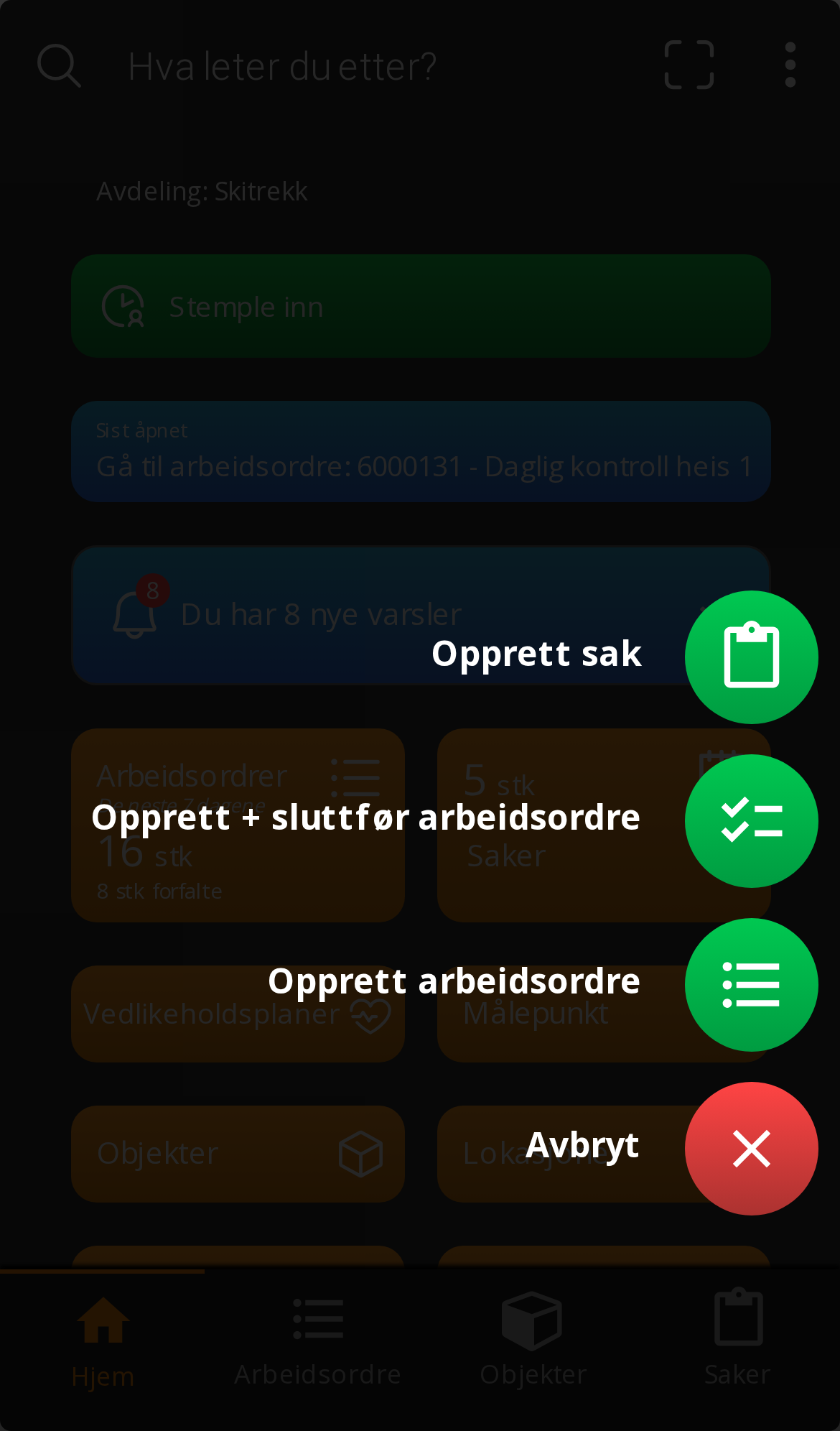
Tap the green + in the bottom right and choose Create case — or go via Cases in the bottom menu. If you’re already in a work order, you can record the case directly from there, so the two are linked.
Describe what happened#
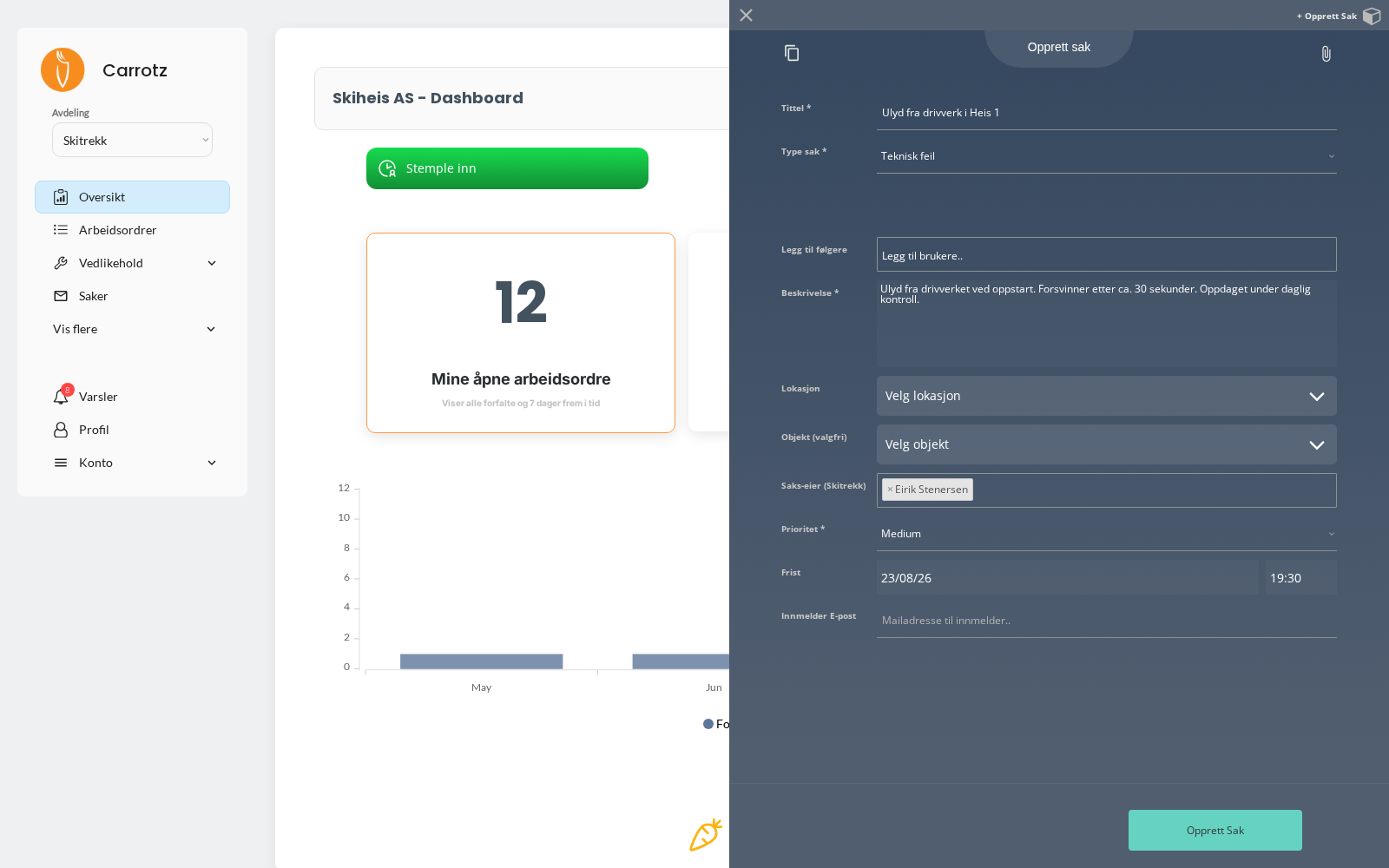
- Title — a short summary
- Case type — which of the eleven categories above
- Description — what you observed
- Location and object — where and what it concerns
- Priority — how serious it is
- Deadline and case owner — if you know
- Followers — colleagues who should be kept informed
Take the photo before you touch anything#
This is the whole point of recording from mobile. A photo of the condition before repair cannot be taken afterwards.
Save#
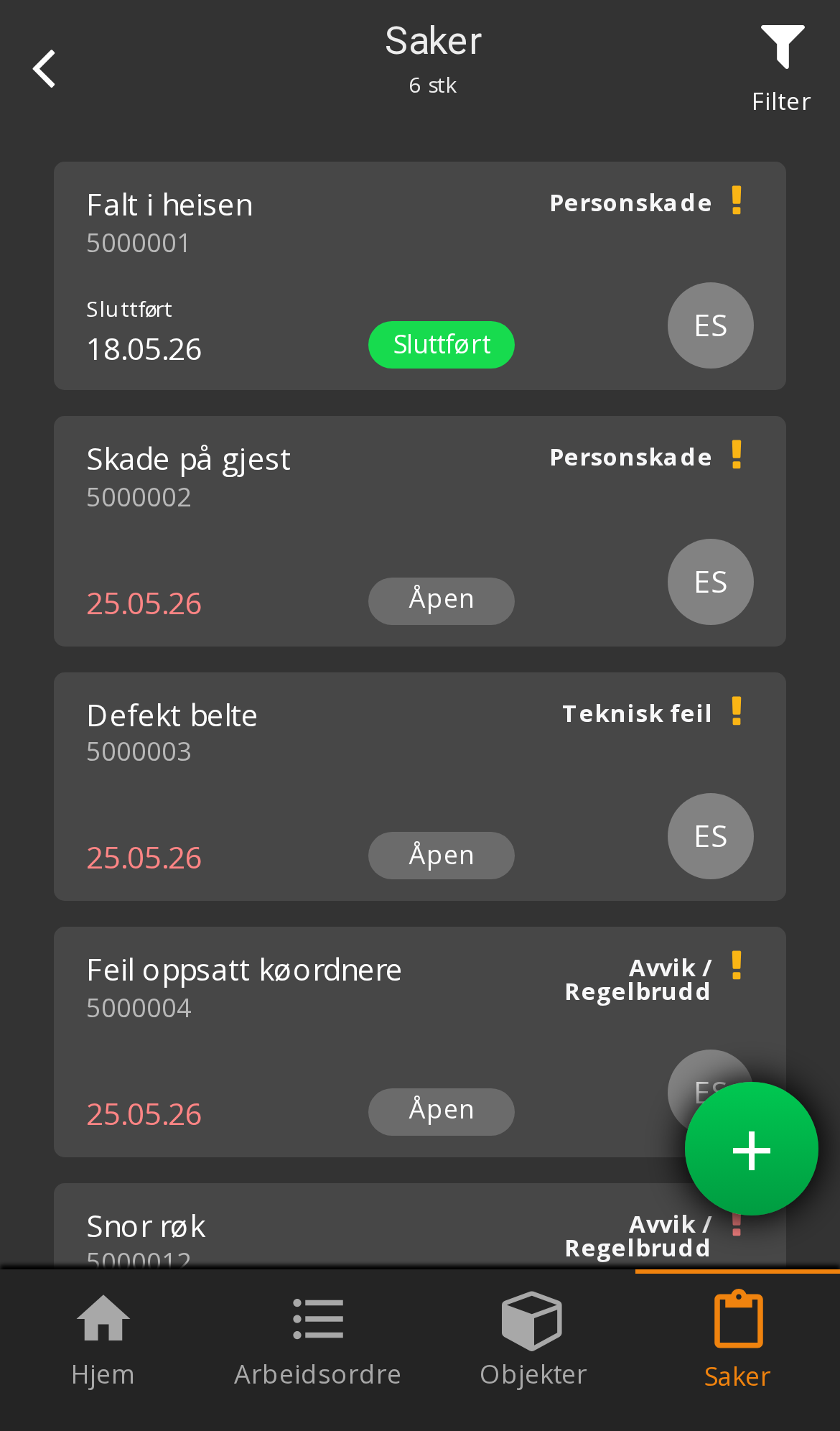
Your cases can be found again under Cases in the bottom menu. Each row shows the title, case number, case type, deadline and status.
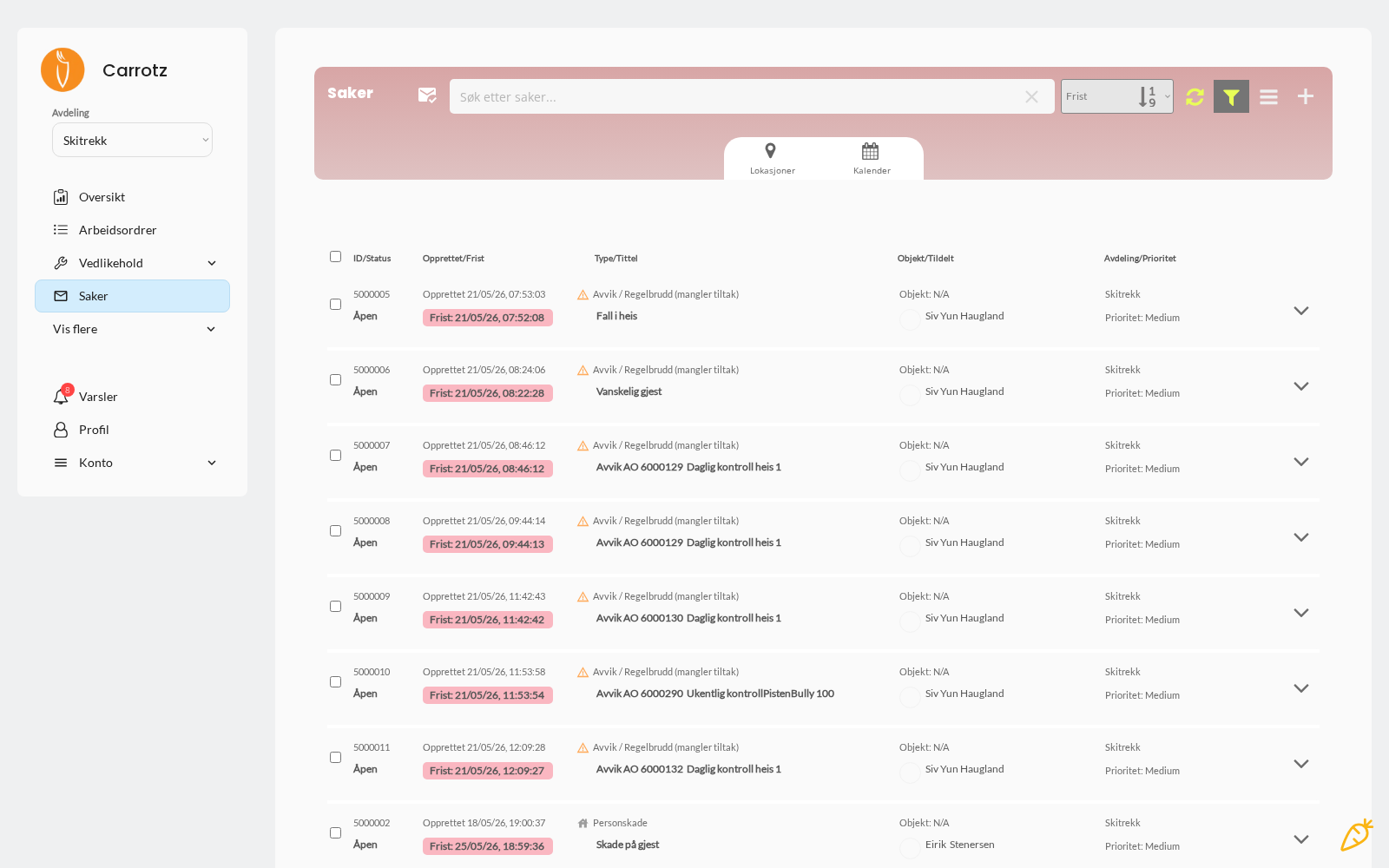
On desktop the same appears as a table with its own columns.
The case flow#
Open  →  In progress  →  Completed
              ↓
          Cancelled
A case can also be cancelled if it won’t be pursued — for example if it turns out to be a duplicate, or the matter was resolved another way.
Along the way the journal documents changes and activity, so it’s traceable who did what and when.
Cases missing an action are flagged in the list with "(no action)". That is the system’s own reminder that the case has been recorded but nobody has yet decided what to do about it — the most common way a case ends up sitting still.
Attached to the case you can have:
- Actions — what will be done about it
- Comments — the discussion along the way
- Documentation — photos and files
- Work orders — when the case requires physical work
Recording a deviation while in a work order#
If you spot something while carrying out a job, record it as a case there and then — don’t wait until the job is finished. That gives the case the right link to location and object, and documents the background while you still remember it.
The case later appears under the Related WOs/Cases tab on the work order, so the connection is visible to whoever follows up.
Write the description so that someone who wasn’t there understands the situation. “Strange noise” says little. “Noise from the bearing on start-up, disappears after about 30 seconds” says what to look for.
For recurring faults: report them. If the same deviation appears several times, the maintenance plan, checklist, risk assessment or instruction should probably be updated — and that only gets noticed if the pattern is recorded.