Checklists and check points#
Checklists standardise work that should be done the same way every time. They are the difference between “someone had a look” and “these twelve points were checked”.
How checklists relate to work orders#
A checklist isn’t attached directly to the work order. It is linked to a task, and the task belongs to the work order:
Work order
└── Task  ── with a checklist attached
    ├── Sub-item 1
    ├── Sub-item 2
    └── …
This means one work order can have several checklists — one per task — and that each task is tied to its own object or location. A work order for a daily check might have one meter reading on a machine and one checklist on a lift.
- A check point is one thing to be checked or done. In the executed work order it’s called a sub-item
- A checklist is a collection of check points that belong together
Check points are reusable — the same point can appear in several lists.
The field user sees two counters: “Tasks: 0 of 2 done” and “Sub-items: 1 of 15 done”. Long checklists give high sub-item numbers — another reason to split them up rather than build lists of forty points.
Only reusable lists appear here#
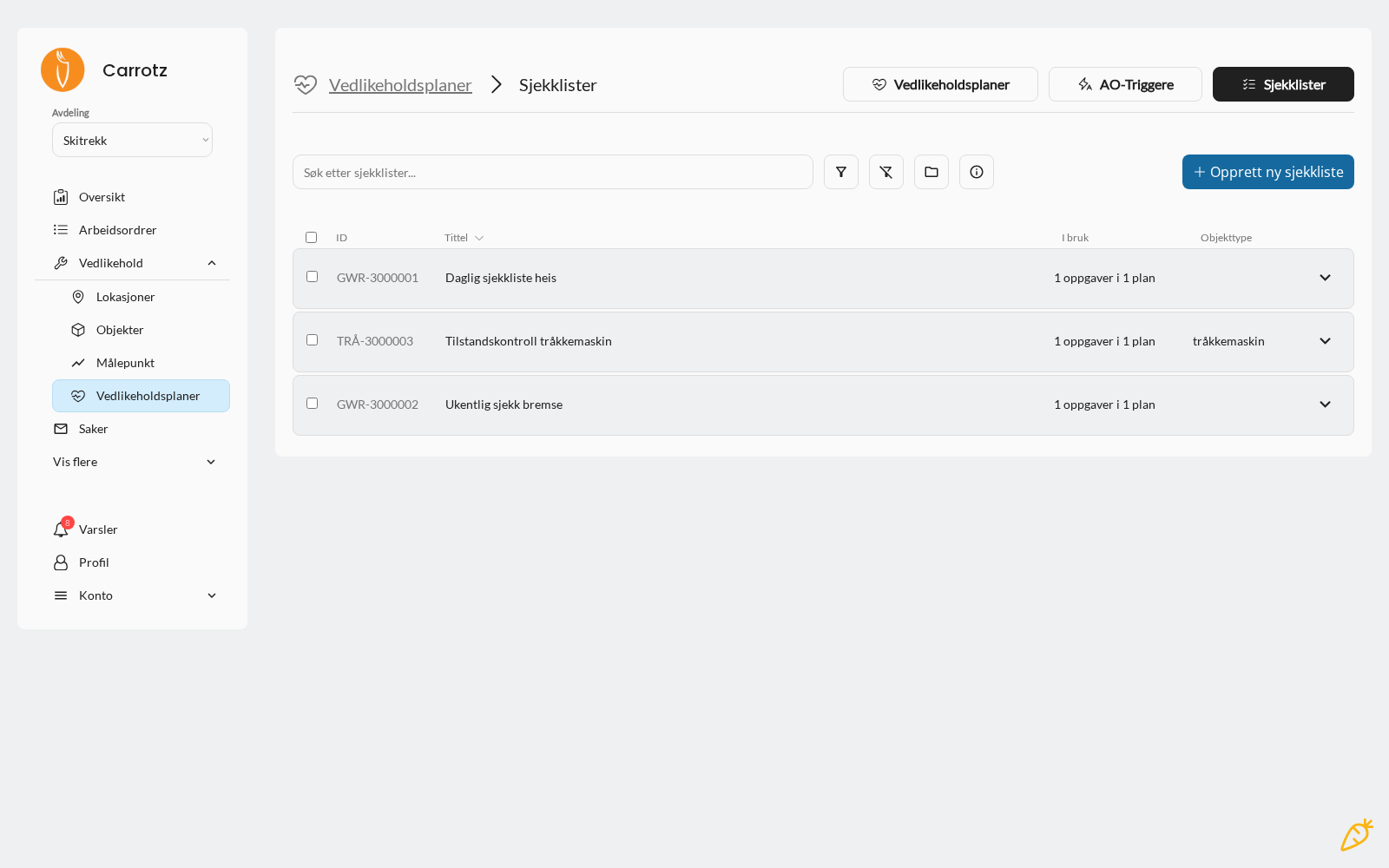
The checklist overview shows the reusable lists. When a maintenance plan creates a checklist task, you choose whether the list should be reusable — see Maintenance plans.
If it isn’t reusable, it belongs only to its own plan and doesn’t appear in the library. If you’re looking for a checklist you know exists but can’t find it here, that’s usually the explanation.
What a check point can contain#
- Title — what is to be done
- Instruction — how it should be done
- Photo — a visual reference
- PDF or other attachment — procedure, data sheet, measurement requirement
What happens in the field#
When carrying out the work, the field user can:
- Approve the point
- Mark it “not relevant”
- Leave it unapproved
- Add a comment and a photo
See Carrying out work orders for the field user’s side of this.
“In use” — check before you change anything#
The checklist overview has an In use column showing how many tasks and maintenance plans use the list — for example “1 task in 1 plan”.
Look at it before changing or deleting anything. A checklist used in several plans affects more work orders than you might expect, and the change applies to every future job that uses it.
Advice for good checklists#
One point = one action. “Check oil and change filter” should be two points — otherwise you don’t know what was actually done.
Write it measurably where you can. “Check pressure” is weaker than “Check pressure — should be 4–6 bar”.
Put the instruction on the point, not in people’s heads. The checklist should be completable by a new colleague.
Don’t build lists of forty points. They get clicked through. Split them into several lists tied to different intervals instead.
Use attachments for the detailed material. Measurement requirements and procedures belong as a PDF on the point.
Next step: Maintenance plans.