Measuring points and triggers#
Measuring points are used to record values on equipment. Combined with triggers they are the route from calendar-driven to condition-based maintenance.
What a measuring point is#
A value tracked over time on an object:
- Temperature
- Running hours
- Pressure
- Number of cycles
- Mileage
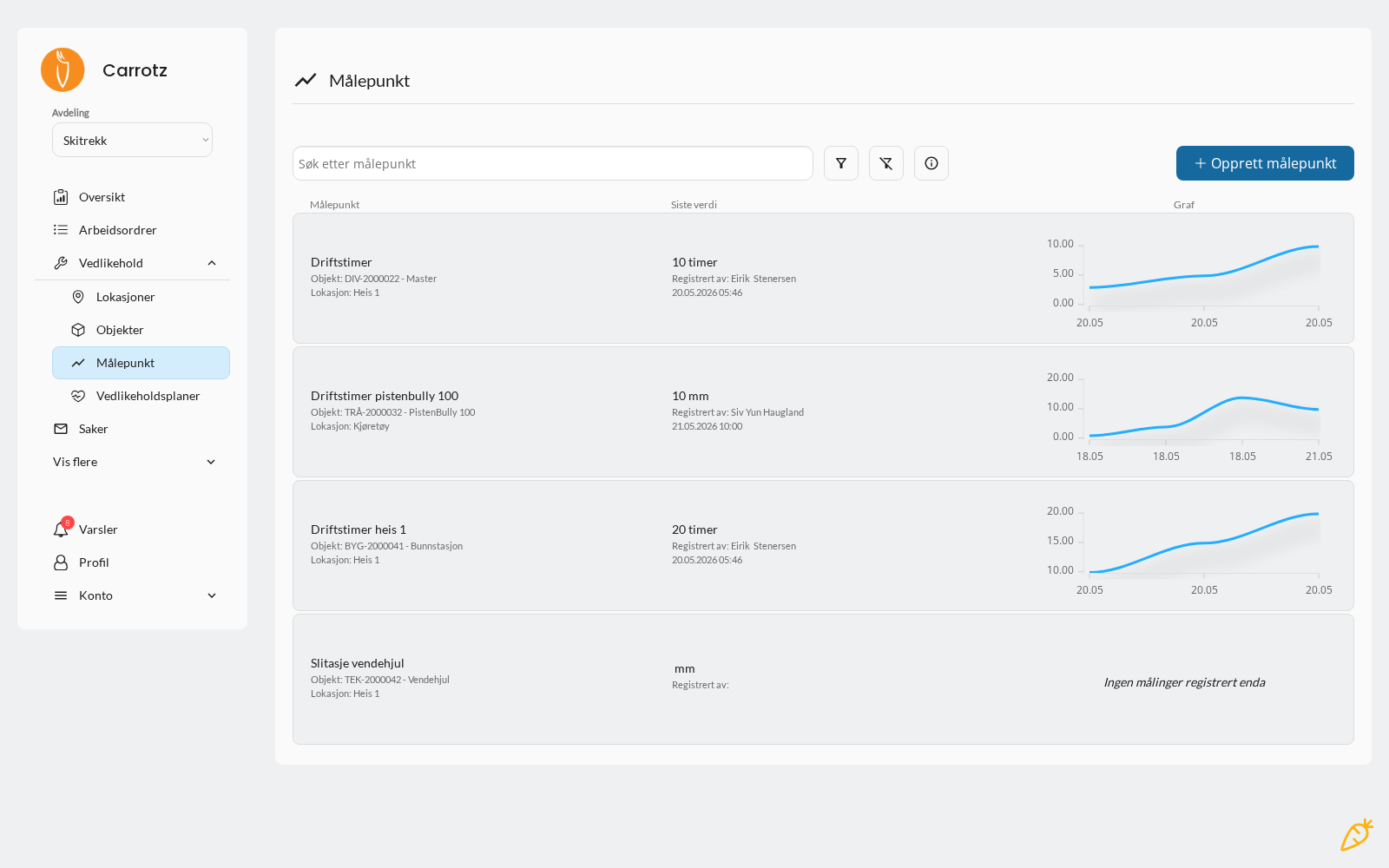
The overview shows each measuring point with its latest recorded value, who recorded it and when — plus a chart of the trend right in the list. That makes it quick to see whether a value is heading the wrong way, without opening anything.
Three ways to record a value#
| Where | How |
|---|---|
| From a work order | The task must be of the meter reading type. The field user then enters the value directly in the task list |
| On the object (desktop) | Open the object and enter the meter value there |
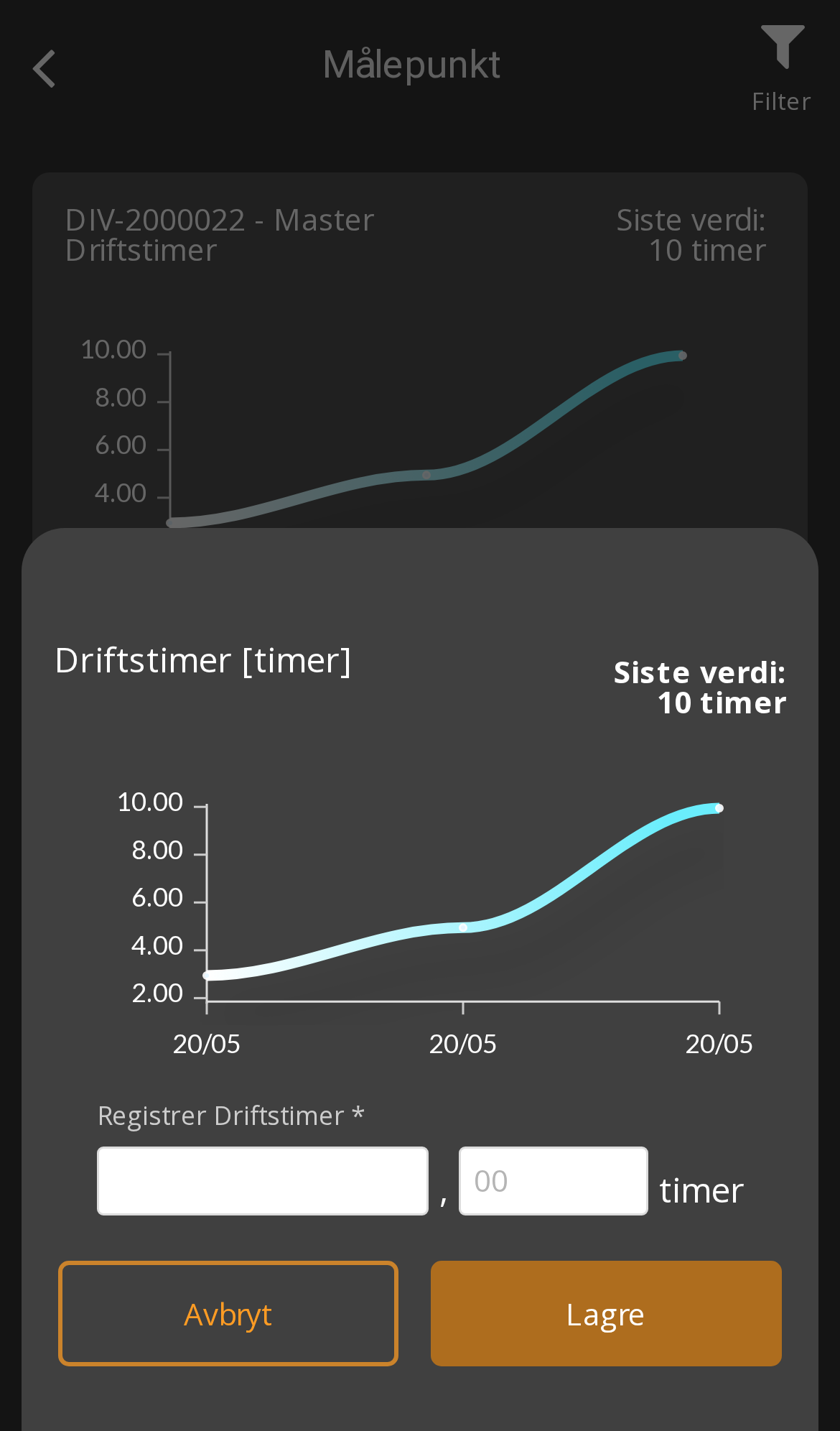
| On the measuring point (app) | Open Measuring points from the home screen, pick the point and record the value |
The first is the most common in practice: the value is recorded as part of the job, and so ends up in the history alongside the rest of the work.
See Maintenance plans for how to set up a plan with the meter reading task type.
Triggers: when a threshold is reached#
A measuring point can be used to create a work order when a defined threshold is reached or exceeded.
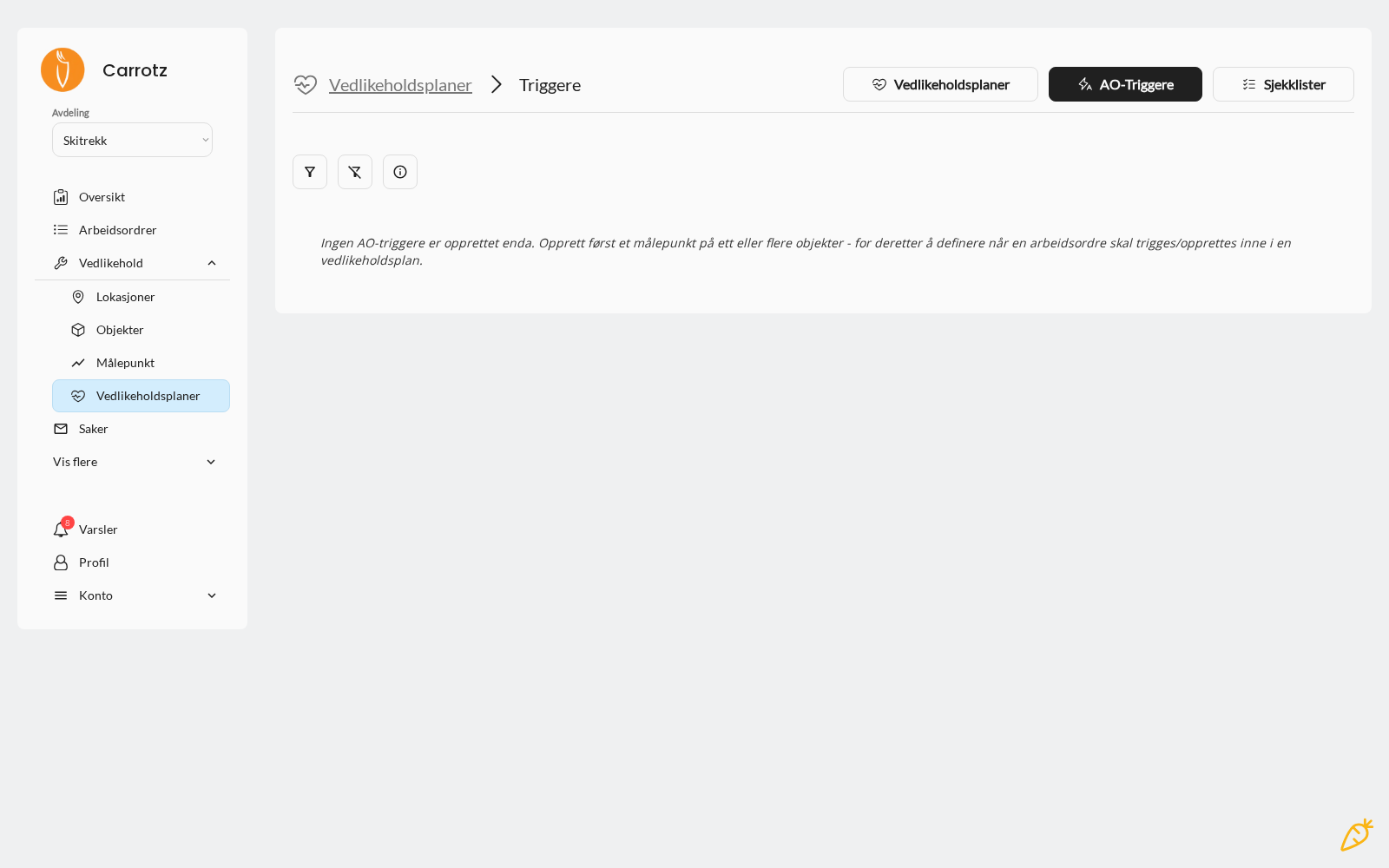
The order isn’t optional. You must create the measuring point on the object first — then you can define the trigger. Without a measuring point the trigger has nothing to measure against, and Carrotz won’t let you create it.
Examples:
| Measuring point | Threshold | Triggers |
|---|---|---|
| Running hours | Every 500 hours | Pump servicing |
| Temperature | Above 85 °C | Cooling check |
| Mileage | Every 10,000 km | Inspection preparation |
| Number of cycles | Every 50,000 | Wear part replacement |
Why this is worth the effort#
Calendar-based maintenance treats everything the same. Meter-based maintenance takes actual load into account:
- Equipment that runs a lot gets serviced more often
- Equipment sitting idle doesn’t get unnecessary servicing
- Abnormal values are caught before they become breakdowns
That gives the basis for more condition-based maintenance — usually both fewer unexpected stoppages and less unnecessary work.
Setup advice#
Measure what actually says something about condition. Running hours on a pump is useful. Running hours on a door isn’t.
Set thresholds from the supplier’s recommendation first, then adjust with your own experience.
Make the reading easy. If the meter is hard to reach, it won’t be read. Consider placement and frequency realistically.
Look at the history. Values over time show trends — a temperature creeping slowly upwards is information long before it crosses the threshold.
Exactly where measuring points and triggers are set up can vary with your organisation’s configuration — they relate to both the object and the maintenance plan.