Documents and signing#
The document module works as the organisation’s document archive, and the signing feature is used for internal control and compliance.
The document archive#
Stored here:
- O&M documentation
- Procedures
- Instructions
- Manuals
- HSE documents
- Photos and files — PDF, Word, Excel
Organisation#
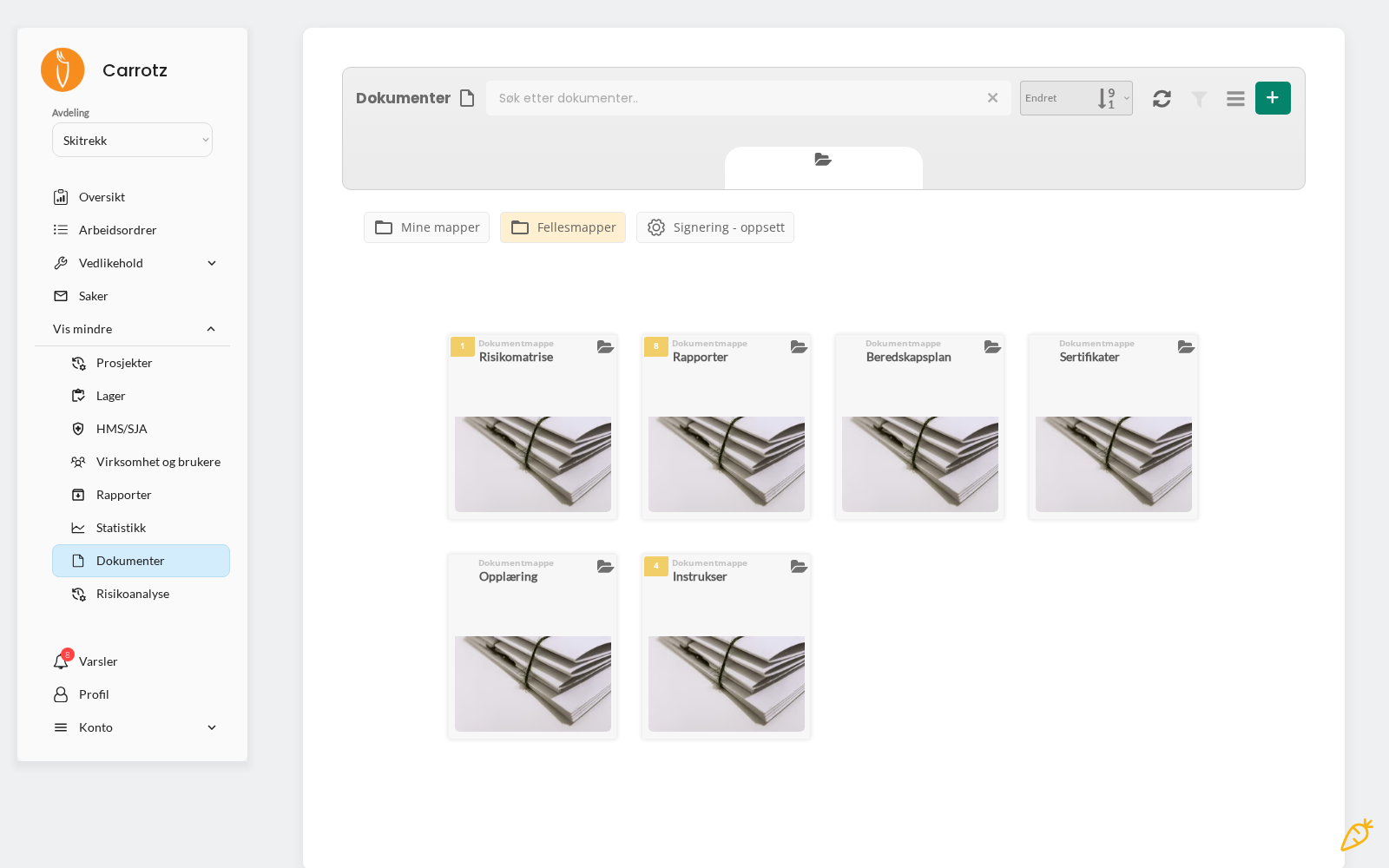
Content can be organised in private folders and shared folders, depending on who should have access.
Access from mobile#
On mobile, users can open documents and upload photos or files from the field. That means the procedure is available where the work is done — not just at the office.
Document signing#
Carrotz can be used to require signing of important documents for internal control and compliance.
Documents typically made signable#
- Work instructions
- Procedures
- HSE instructions
- Governing documents
- Guidelines
How the flow works#
Set the signing requirement#
Signing requirements can be assigned to specific users and/or disciplines. Assigned to a discipline, the requirement applies to everyone in that trade.
The user signs#
The user opens the document, reads it, and signs/acknowledges in Carrotz.
The administrator follows up#
The administrator follows up signing status — who has signed, and who is outstanding.
Signing groups#
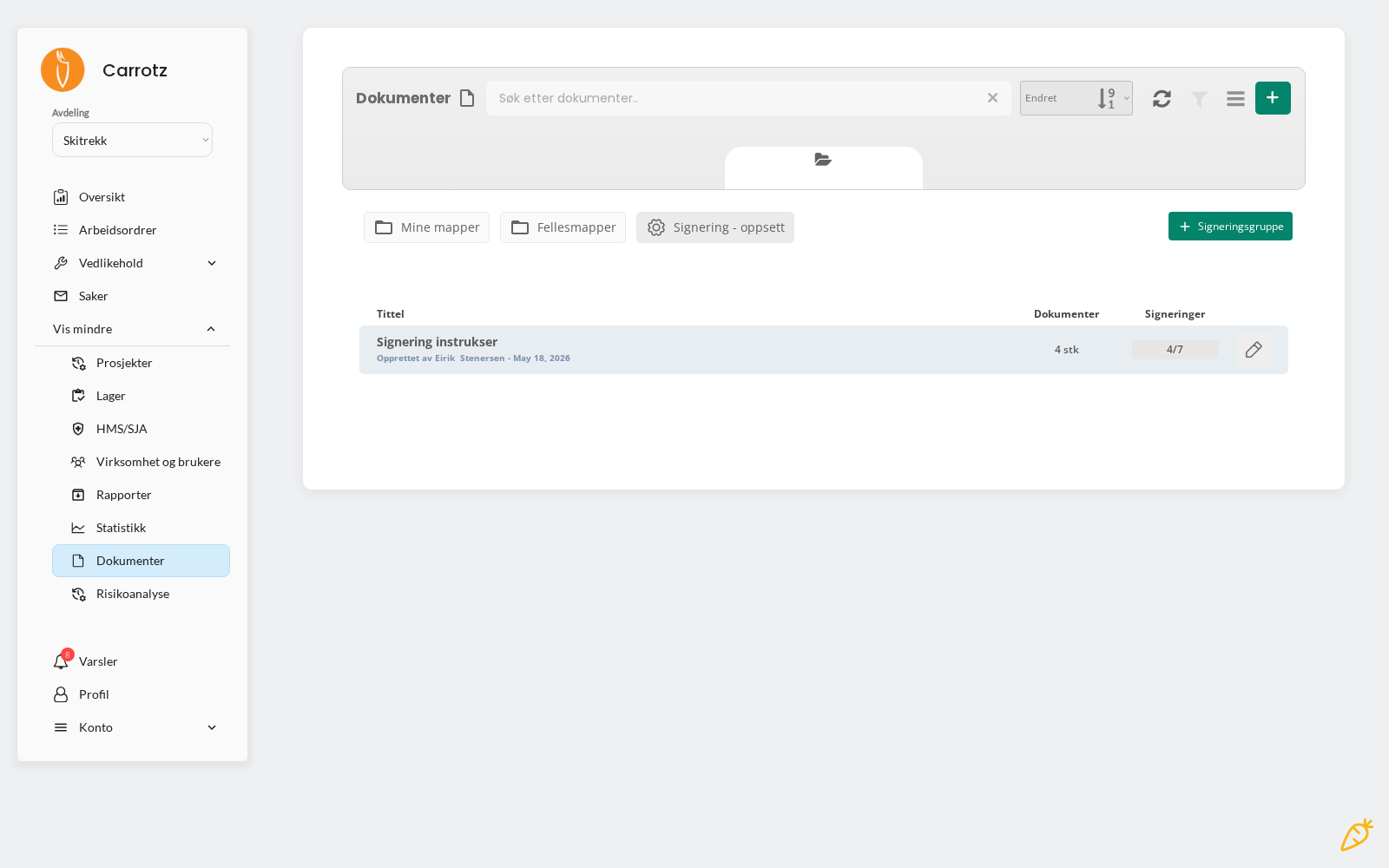
Signing requirements are organised into signing groups — a set of documents to be signed by the same people. A group might be called “Signing instructions” and contain four documents.
The overview shows progress as a fraction, for example 4/7: four of seven required signatures are in place.
That makes follow-up easier than going document by document — you see immediately which groups aren’t finished.
docs/static/img/admin/signeringsstatus.pngWhen a signed document is revised#
If you publish a new version of a document with a signing requirement, everyone must sign again. Previous signatures apply to the previous version, not the new one.
This is correct behaviour for compliance — but it means small corrections to a widely used document trigger a full signing round. Gather minor changes into one revision rather than publishing them individually.
Limitation
Document signing in Carrotz should not automatically be interpreted as a particular legal type of electronic signature. The signature is a documented acknowledgement within the system. Any formal e-signature requirements must be assessed separately.
Advice for use#
Don’t make everything signable. Signing loses meaning if it becomes routine. Reserve it for documents where it genuinely matters that people have read and understood.
Use disciplines where it fits. If every electrician must sign a new electrical instruction, assigning the discipline is easier than ticking twelve names.
Follow up the status. A signing requirement nobody follows up is just a list. The value lies in seeing who is outstanding.
Keep the archive tidy. A document archive nobody can navigate doesn’t get used — and then the procedures don’t get read.